
You stop on a walk because the grass on the far side of a gate is bending all at once. You point the phone across the field and say why you’ve stopped. Back at home, the video looks just as you remember it. On the soundtrack, there’s a burst of wind where the sentence should be. Before you try to fix anything, ask whether the person watching needs to hear that sentence.
The illustrations are AI-generated examples.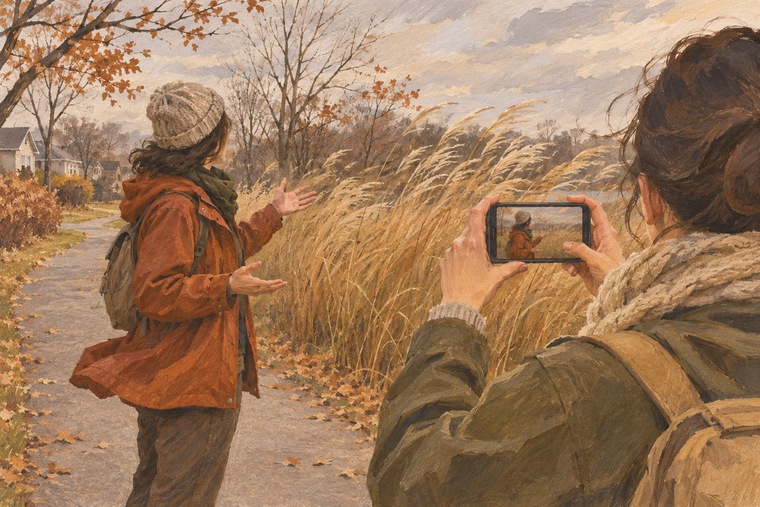
The wind can be part of what makes a walk worth filming, even when it gets in the way of the words.
Listen for words you can actually hear
Keep the original file and work on a copy. Play the clip once at normal volume so you can tell whether the wind briefly interrupts the sentence or covers most of it. Sometimes the beginning is clear, the middle disappears and the last few words return. Pause long enough to make that distinction before deciding which sound to keep.
If the sentence is still understandable, keep your original voice. Add captions if they help the viewer follow the words, and watch the clip again to check both the text and its timing. If your editor supplies an automatic caption, read it while listening. One misheard word can change what the sentence means. Leave out words you can’t make out. If an interruption matters to the scene, you can mark it with a brief cue such as “[wind obscures speech].”
On playback, listen for which words you can actually hear before adding captions or narration.
If the words matter, record your own explanation
Suppose the line was meant to draw attention to something the viewer might miss. You remember stopping to watch the grass beyond the gate. In a quiet room, record a short voiceover in your own words: “I stopped here to watch the grass bend beyond the gate.” Write down only what you know you saw or meant to explain. You don’t need to recreate the wording lost in the gust.
Put the new line over the view of the field. If the shot shows someone speaking but the words are lost, cut to an actual view from the walk before the voiceover starts. Label the new line as narration recorded later so it reads as your explanation from home. If the original voice belongs to someone else and the words matter, you can ask them what they said. A guess based on lip movement or context doesn’t belong in the captions.
Give the view a few quiet seconds
If the words were just an aside, try the picture on its own. In this example, the grass moving together is already enough to show why you paused. Trim away the part where the phone is being raised or lowered. If there’s a quiet stretch of original sound, try that section first. If the gust dominates the whole clip, try muting it and watch the result. Let the view settle for a few seconds before the next clip. Music is optional.
A cutaway can help you plan where to move from the speaker to the view. If you need a fictional sketch for that edit, you could ask Max Video AI’s text-to-video tool for a fixed view of tall grass moving beside an empty path. Label it as an illustration if you share it. Choose a shot you actually took if the video is a record of this walk.
Try one line before the next take
On your next windy walk, record one sentence from a sheltered spot, or step a little closer if you’re filming someone else. Listen back before recording the whole thing. You can also take a short shot of the view on its own, with no one speaking. If the gust returns, you’ll have a shot you can use under a short narration later.
For the clip you already have, play the edit one last time. If the picture explains why you stopped and any words you keep can be heard or read accurately, you’ve kept what mattered about the walk.
Comments (0)
Want to join the discussion?
Log In to Comment