
A portrait crop can keep the main object and still lose the point of a picture. Imagine a paper boat facing a lighthouse across a wide harbor. Crop tightly around the boat and the image remains tidy, but its destination disappears.
Before attempting motion, decide which relationship the frame must preserve. The illustrations here are fictional, AI-assisted planning artwork. They demonstrate source preparation, not a completed video or a test of a tool’s cropping behavior.
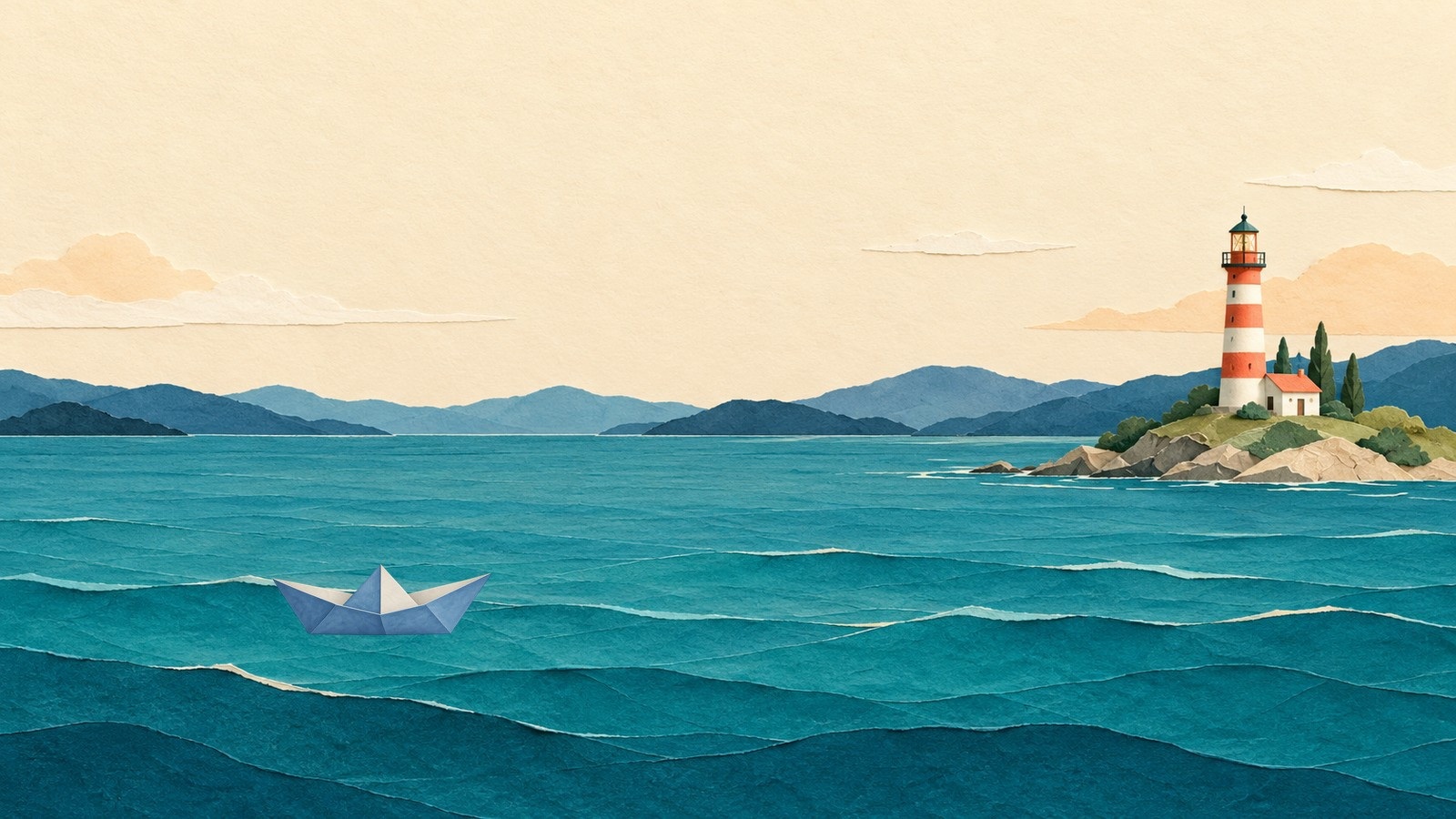
Both objects matter to this invented scene: the boat has a destination. AI-assisted planning art, not a photograph or video result.
Choose the image-to-video aspect ratio before the crop
Start with the place the image will be viewed. A wide article illustration, a square post and a portrait composition ask for different uses of space. Select the intended ratio before preparing both endpoints, rather than changing only one after it looks finished.
For this example, the source is a 1,600 × 900 landscape. The proposed portrait canvas is 900 × 1,600. Those are preparation dimensions, not promised output dimensions. A centered full-height 9:16 crop from the wide source is only about 506 pixels across. Its location determines which parts of the harbor survive.
Write a short preservation list: the whole boat, the lighthouse, the water between them and enough room for the intended movement. This is more useful than simply saying “keep the subject centered.” Here, the subject is a relationship between two objects.
Crop, fit or recompose deliberately
Cropping removes material outside the chosen window. It can work when the discarded area carries no necessary information. In this scene, a crop centered on the boat removes the lighthouse. That may be a valid new picture, but it changes the story from travelling toward something to floating alone.
Fitting keeps the complete wide artwork inside the portrait canvas. The example uses a plain cream mat above and below it. Nothing new is invented beyond the source. The tradeoff is that the scene occupies a smaller part of the tall image.
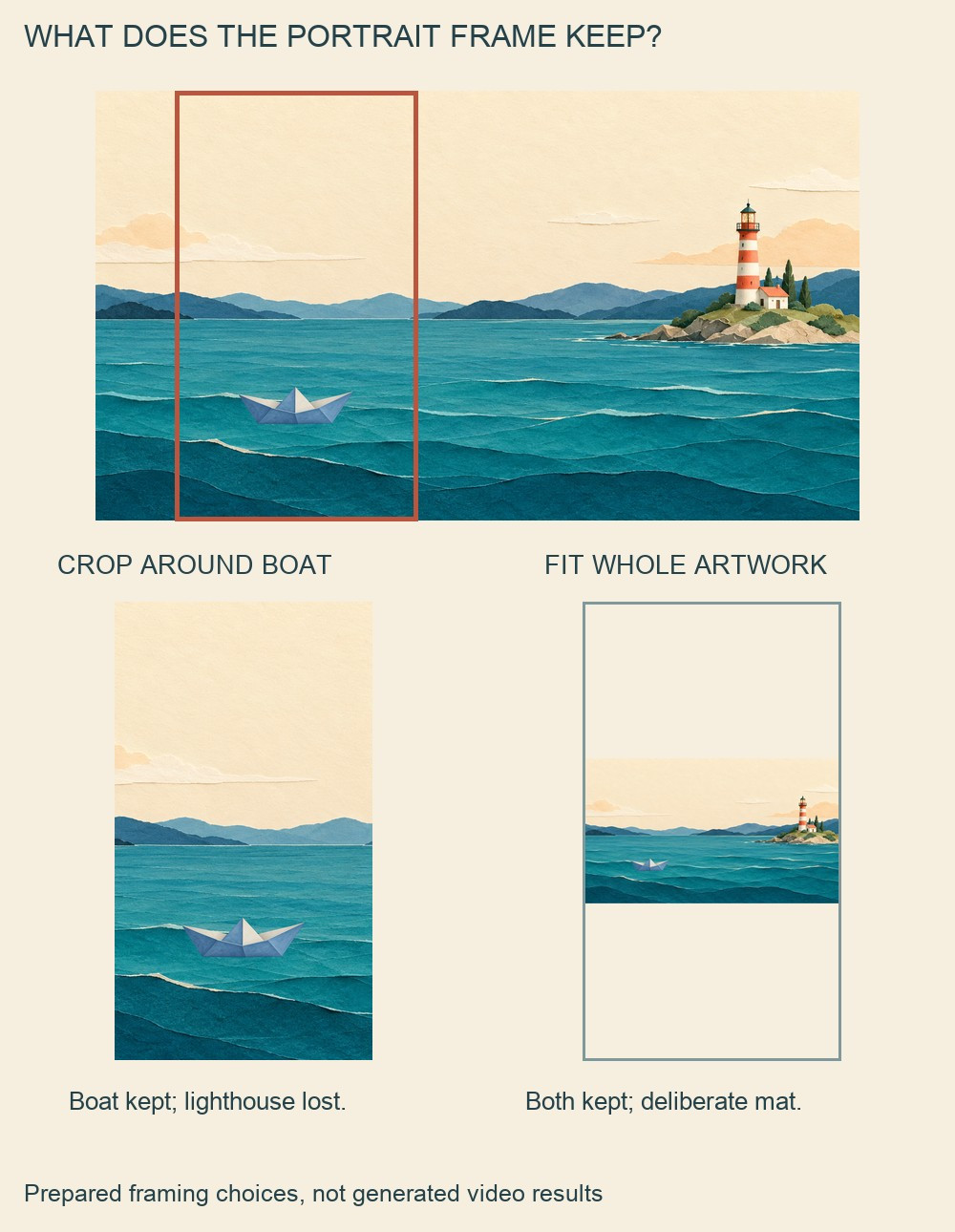
Two different framing choices: crop changes the visible story; fitting preserves it with deliberate borders. Neither illustration is a software result.
Recomposition is a third option when you control a layered illustration: move its elements into a new arrangement while preserving what they mean. It takes separate editing decisions and may require repairing the background. Do not stretch a finished landscape vertically to make it fill a portrait frame; that changes the shapes as well as the format.
This guide chooses fitting as a conservative reference plan. If the boat and lighthouse become too small to read, keep the landscape version or prepare a better portrait composition. Filling every pixel is not the only measure of a useful frame.
Prepare first and last frames with the same rules
Make the first and last images from the same original or permitted source. Keep the same canvas size, aspect ratio, background, viewpoint and subject appearance. In the last image, move only the boat a little right toward the lighthouse.
Apply exactly the same fitting scale and placement to both. The cream mat should not jump, the horizon should not shift and the lighthouse should not change height. If one image is a close crop and the other is a full fitted scene, you have also requested a framing change, whether you intended it or not.
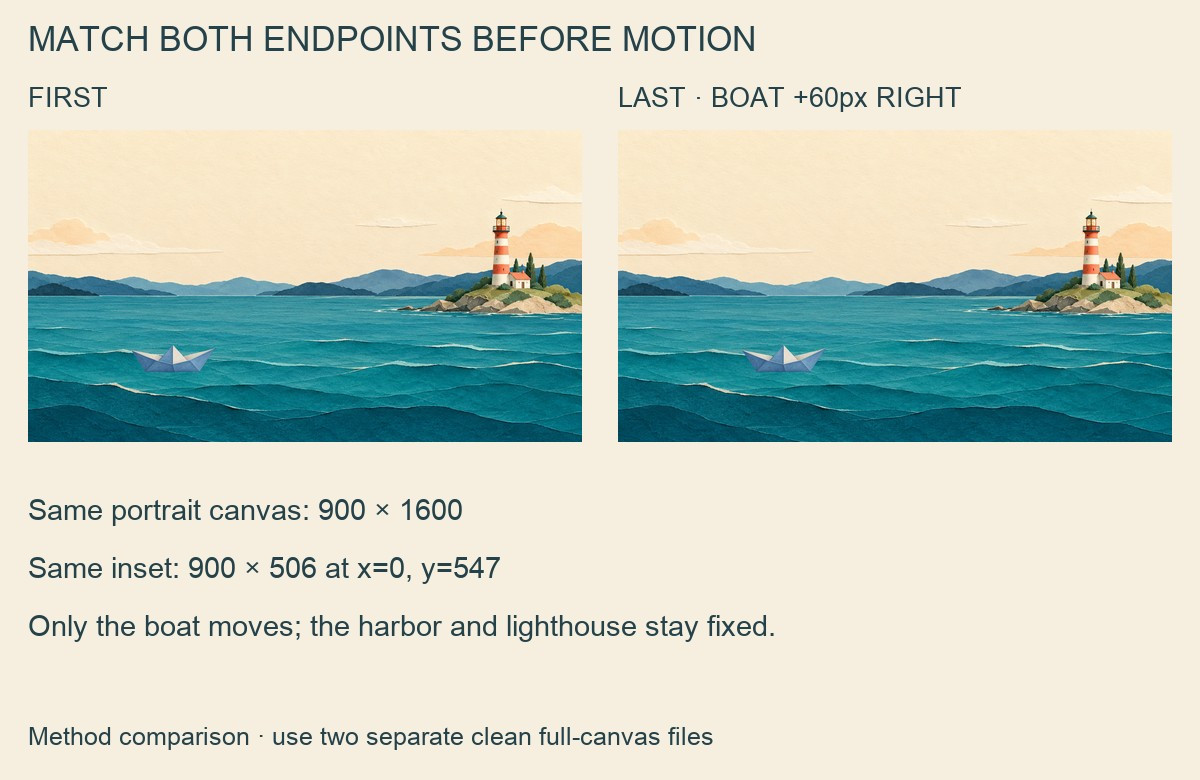
Prepare the two complete endpoint files separately. This labeled comparison is not an input file or proof of generated motion.
The prepared example moves the boat 60 source pixels right while retaining its size and height. The labeled pair explains the plan. Use two separate clean full-canvas files as inputs, ordered first and last; do not upload the comparison board in their place.
Describe only the movement you prepared
Focused prompts can state the motion and the framing that should remain fixed:
Across five seconds, the single blue paper boat glides a short distance right toward the lighthouse, from the first reference toward the last. Keep the boat’s shape and size, lighthouse, harbor, horizon, cream mat and camera fixed. Preserve the same portrait composition. No new objects, zoom, scene expansion or text.
If you are looking for a “free image to video generator no signup required,” one optional route is the VO4 AI free image-to-video generator. Its current free form shows five seconds, 480p and zero credits. The image-guided branch uses ordered first and last images plus a motion prompt; text-only generation is a separate route. No account is required, but verification is still necessary. The page describes unlimited attempts that may queue. Here, “powered by minimax h3” is shorthand for the page’s MiniMax H3 label, not independently verified backend evidence. Check the current form and select the ratio matching both references; VO4 does not replace the source-preparation decisions above.
This AI-assisted guide is written from a sharing blogger’s perspective. Its illustrations are planning examples; no example video has been generated.
Review the relationship at the final viewing size
If you generate a candidate, check it at the size people will actually see. With the free form’s 480p setting, the boat and lighthouse should remain distinguishable without depending on tiny decorative details. Watch for a disappearing bow, a bending lighthouse, a moving mat or an unexpected camera crop.
Keep the original landscape and both prepared stills. Add any title or audio separately in an editor after choosing a usable clip. If the portrait attempt weakens the composition, the wide still is a useful fallback. A successful preparation keeps the important parts together before it asks them to move.
Comments (0)
Want to join the discussion?
Log In to Comment